
Everything You Need to Boost Sales Conversions
Four powerful widget types designed to engage visitors and convert them into customers. No coding required - just upload, customize, and publish.
Stories Widget
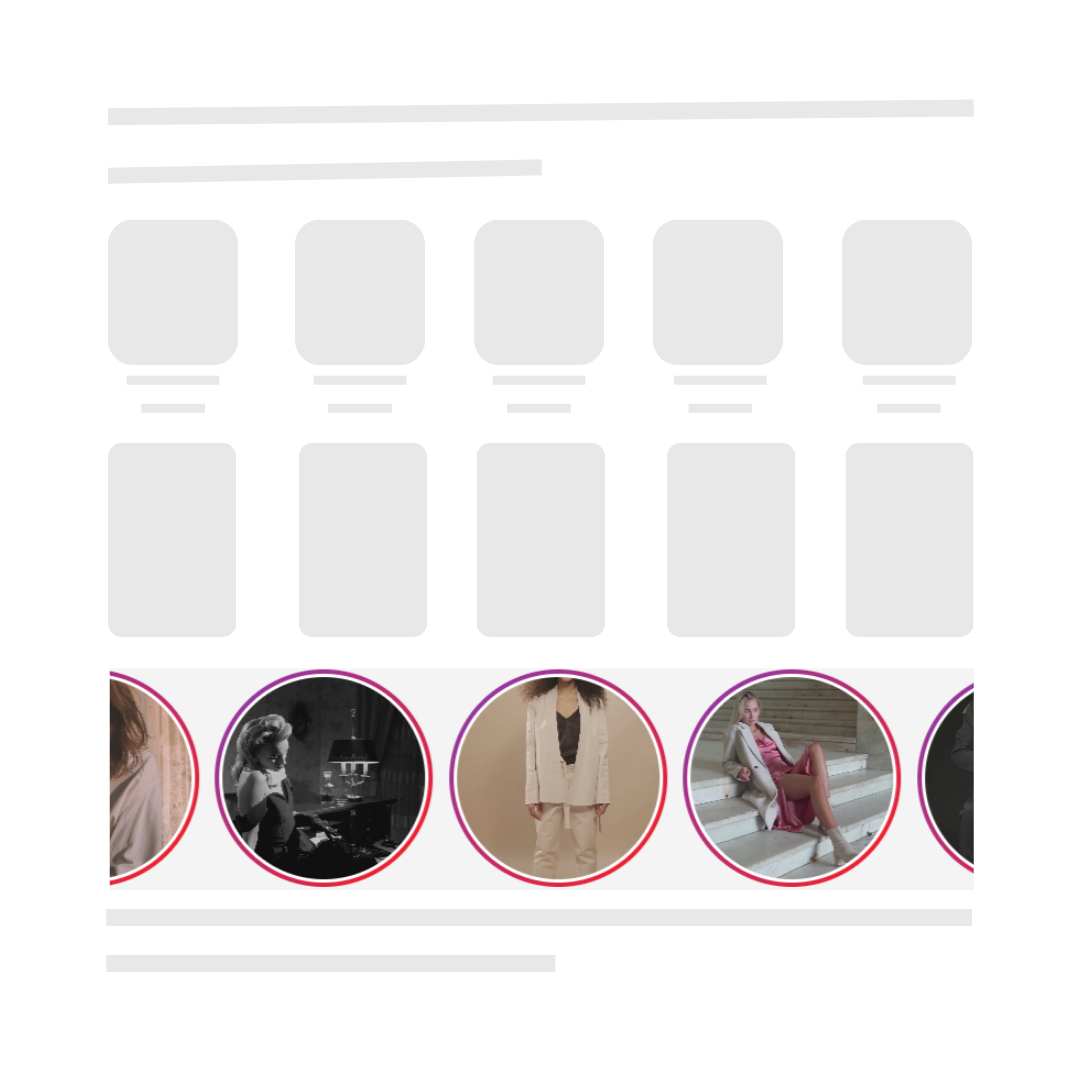
Instagram-style stories that appear at the top of your store. Customers can tap through your product videos, see tagged products, and add to cart without leaving the story.
- Circular thumbnails with gradient rings
- Full-screen immersive viewing
- Product cards with Add to Cart
- Swipe navigation between videos
- Progress bars and auto-advance
Carousel Widget
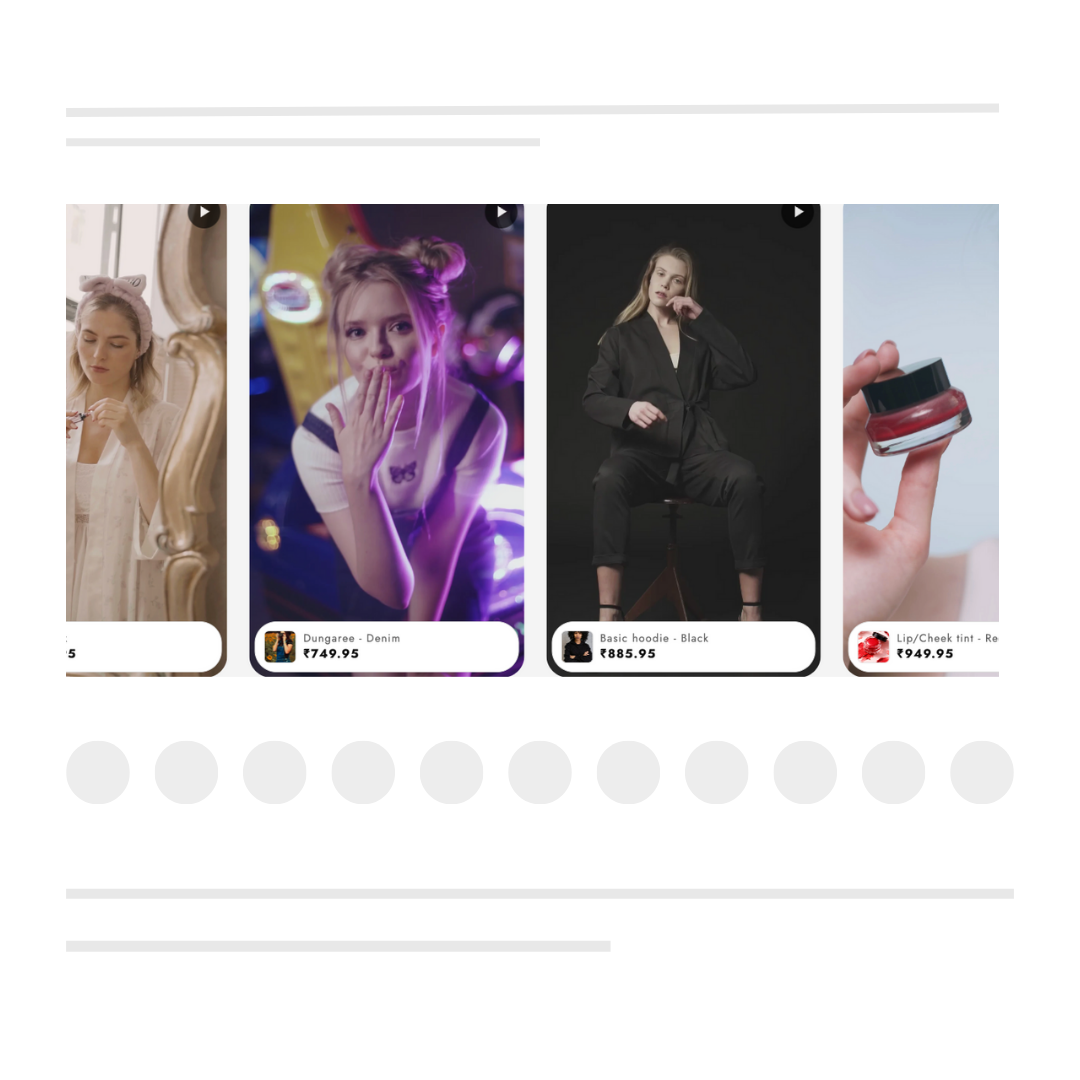
A horizontal scrolling carousel that showcases multiple videos in a sleek, swipeable format. Perfect for product collections and featured items.
- Smooth horizontal scrolling
- Customizable card sizes
- Auto-play on hover
- Navigation arrows
- Touch-friendly on mobile
Floating Widget
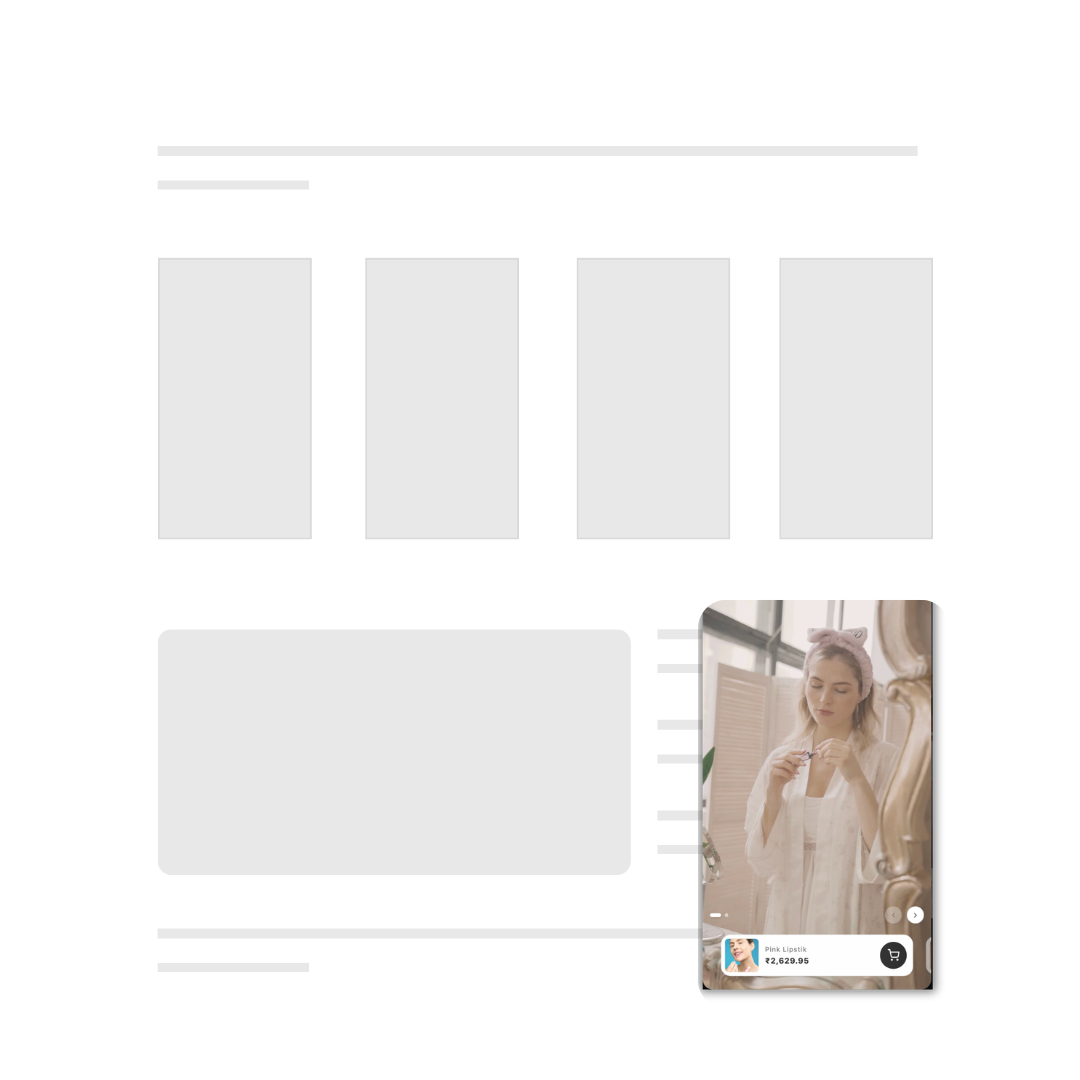
A persistent floating button that follows visitors as they browse. One click opens a TikTok-style video feed that keeps shoppers engaged.
- Fixed position on screen
- Animated attention-grabber
- TikTok-style vertical feed
- Customizable position
- Dismissible with memory
Inline Feed
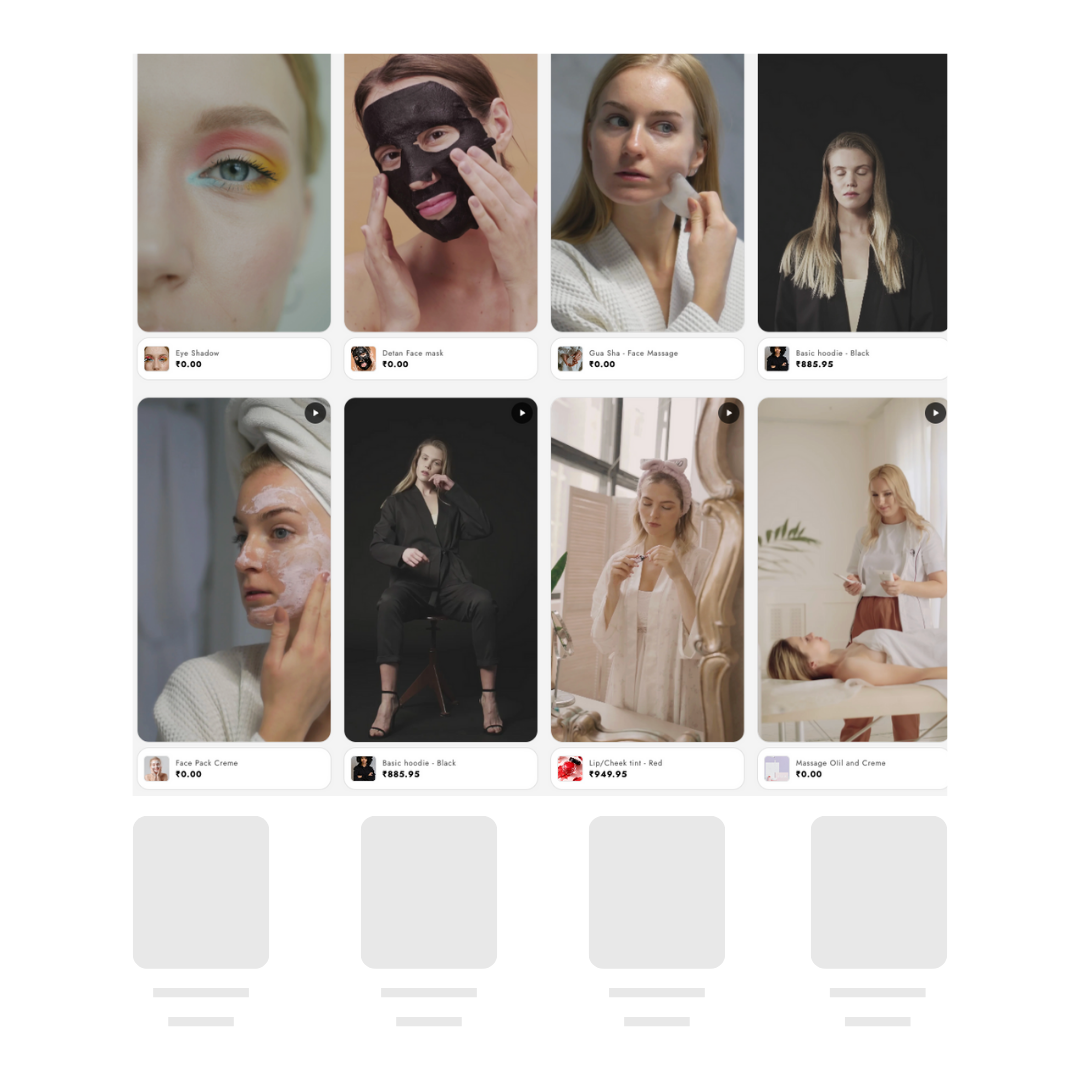
Embed a video grid directly into any page section. Perfect for product pages, collection pages, or dedicated video galleries.
- Responsive grid layout
- Configurable columns
- Lightbox video player
- Theme block placement
- Lazy loading for speed
More Powerful Features
Everything you need to create engaging video experiences
Drag & Drop Ordering
Easily reorder videos in your feeds with intuitive drag and drop functionality.
Product Tagging
Tag multiple products in each video with clickable hotspots and Add to Cart buttons.
Analytics Dashboard
Track views, engagement, clicks, and conversions with detailed analytics.
Custom Thumbnails
Upload custom thumbnails or auto-generate from video frames.
Brand Customization
Match your store's branding with customizable colors, fonts, and styles.
Mobile Optimized
Responsive design that looks perfect on all devices and screen sizes.
Feature Questions
Common questions about SwipeReel widgets
What widget types does SwipeReel offer?
SwipeReel offers multiple widget types: Inline Feed (embedded grid), Overlay (floating video button), and Stories (Instagram-style full-screen). The Free plan includes the Inline Feed widget. Pro unlocks all widget types. All widgets are mobile-optimized.
Can I customize the widget appearance?
Yes! All widgets are fully customizable. You can adjust colors, sizes, positions, thumbnail styles, and more to match your store's branding. Pro users can remove SwipeReel branding entirely.
How many products can I tag in each video?
Pro lets you tag unlimited products in each video; the Free plan allows one product per video. Viewers see clickable product cards with Add to Cart functionality right within the video experience.
Do the videos autoplay?
Yes, videos autoplay when in view but start muted to comply with browser policies. Viewers can unmute with one tap. This increases engagement while respecting user preferences.
Ready to Boost Your Sales Conversions?
Join thousands of Shopify merchants using SwipeReel to engage customers with video.